
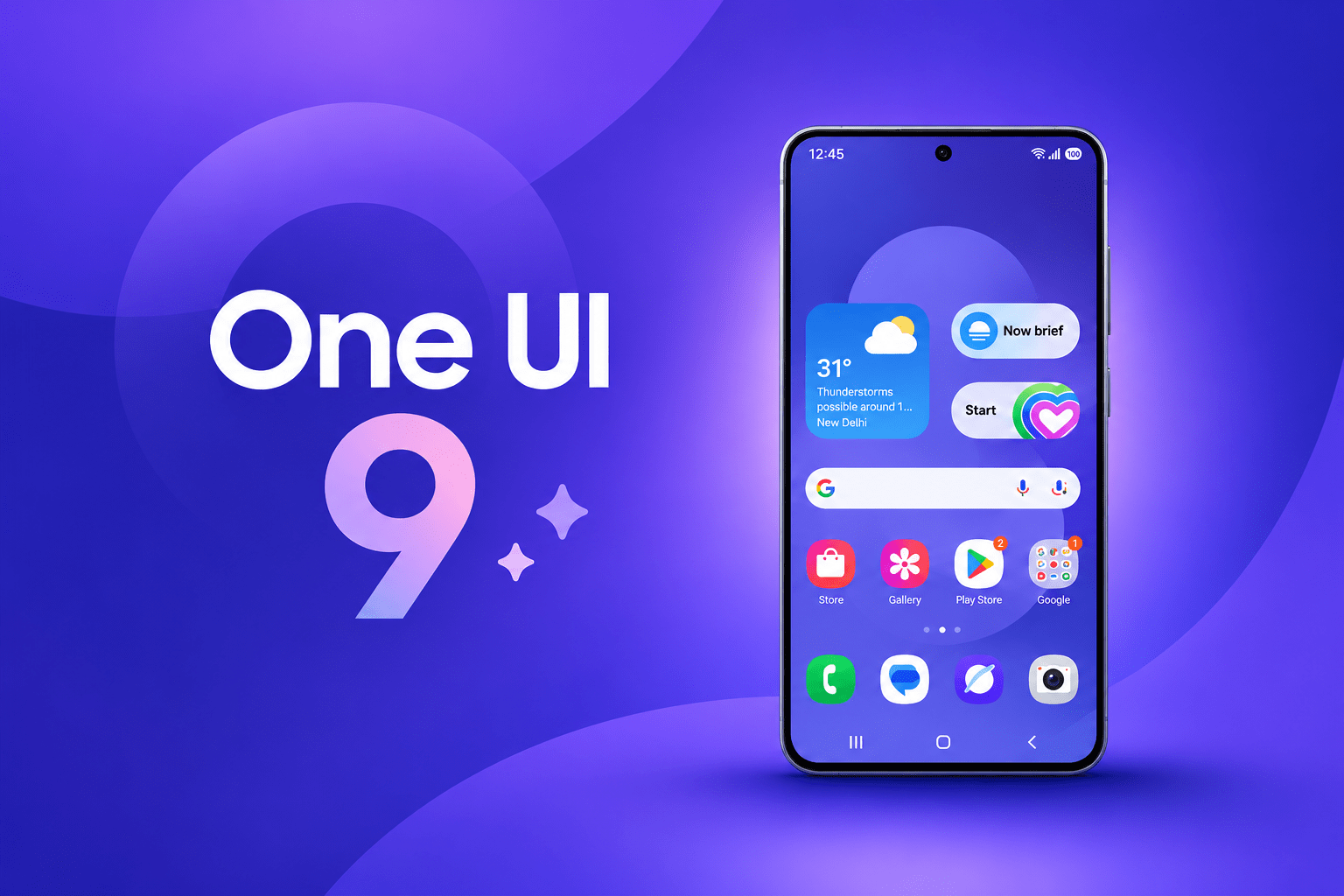
Samsung One UI 9: Release Date, Features and Eligible Devices
Samsung One UI 9 is finally reaching Galaxy owners worldwide. Samsung began the stable rollout in South Korea on September 16, 2026, and the beta program closed the same day. As a result, millions of Galaxy S26 users can now expect the Android 17-based update on their phones.
In this guide, you will learn what is new, which phones get it, and when. Additionally, you will find tips to update without problems. Read on before you tap “Download and install.”
Why Samsung One UI 9 Matters
One UI 9 is more than a design refresh. It brings smarter AI tools, stronger security, and more control over your phone. Moreover, it arrives on a fast schedule. Samsung launched the beta in May, and it built the software on Android 17.
Here is why the update matters to you:
- Smarter daily use: AI suggestions save time on routine tasks.
- Better protection: New security tools warn you about risky apps and privacy threats.
- Fresh customization: You get more control over the Quick Panel and the look of your phone.
- Longer device life: Regular updates keep your Galaxy safe and fast.
Key Features of Samsung One UI 9
Samsung packed the update with useful changes. Let’s look at the biggest ones.
Galaxy AI Upgrades
Now Nudge is the headline feature. It suggests your next action, such as opening your calendar while you text about a plan. Furthermore, the update adds My FanCam, an improved Bixby, and new AI privacy tools. However, not every phone will get Gemini Intelligence, so check your model.
Creative and Everyday Tools
Samsung Notes gains decorative tapes and more pen line styles. Contacts now links straight to Creative Studio for profile cards. In addition, the Quick Panel offers a more flexible layout. Text Spotlight also shows selected text in a larger floating window, which helps with reading.
Security and Privacy Improvements
Security Brief shows important security warnings, and Privacy Alerts flag possible privacy risks. Scam Detection also expands to more markets and languages. Additionally, the system now warns you, blocks installation, and suggests deletion when it finds high-risk apps.
Small Settings Changes
Samsung also moved Parental Controls into their own section in Settings. Before, they sat inside Digital Wellbeing. Therefore, parents can find them faster.
Samsung One UI 9 Release Schedule by Device Type
Samsung does not update every phone at once. Instead, it rolls out the software in waves. Here is how the schedule looks.
New Foldables (Already Available)
The Galaxy Z Fold 8 Ultra, Z Fold 8, and Z Flip 8 shipped with One UI 9 already installed. So if you bought one, you already have it.
Galaxy S26 Series (Rolling Out Now)
The global rollout for the Galaxy S26 series starts September 21. Canada follows the same date, beginning with the S26, S26+, and S26 Ultra. Your region may differ, so check the Software Update menu.
Older Flagships and Foldables (Coming Soon)
In Thailand, Samsung lists September 28 for the Galaxy S25 series and the Galaxy Z7 series. It lists October for the Galaxy S23 FE. Dates vary by country. Nevertheless, this schedule gives a good idea of the global order.
Should You Install Samsung One UI 9 Right Away?
Most people should update. However, a short check first can save you trouble. Follow these steps:
- Check your model. Confirm that your phone is on the rollout list.
- Back up your data. Use Samsung Cloud or Smart Switch.
- Charge above 50%. A low battery can interrupt the install.
- Connect to Wi-Fi. The download is large.
- Open Settings > Software update > Download and install.
If you use your phone for work, wait a week. As a result, you will see early bug reports from other users.
Common Mistakes to Avoid With Samsung One UI 9
Many users run into avoidable problems. Avoid these mistakes:
- Staying in the beta program. Beta testing has ended, so you should move to the stable software.
- Skipping the backup. Updates rarely fail, but data loss is painful.
- Updating on mobile data. This can drain your plan quickly.
- Expecting every AI feature. As noted, some features depend on your device.
- Ignoring app updates. Update your apps after the system update for smooth performance.
Care Tips After Updating
After the install, your phone may feel slow for a day. That is normal. The system re-optimizes apps in the background.
Meanwhile, restart your phone once. Then review your Privacy Alerts and Security Brief settings. Finally, explore the new Quick Panel layout and set it up your way.
Final Thoughts
Samsung One UI 9 brings useful AI features, better security, and a smoother look to Galaxy phones. The rollout is underway, so your device may be next in line. Back up your data, check for updates, and enjoy the new features.
Ready to try Samsung One UI 9? Open your Software Update menu today. Then share your experience in the comments below, and subscribe for more Samsung news.